
Using nc (netcat) instead of telnet
A commonly used command in Linux is telnet, used to check if a connection can be established to another device. For example:
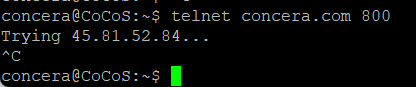
telnet <ip/host> <port>However, when this fails, a decent error message is missing. The only thing the user can do is use [ Ctrl ] + [ C ] to abort the command. Instead of teltnet, it's better to use nc, which is a modern replacement and also has a built-in option for connection timeouts. Using nc is considered much cleaner/better than using telnet for connectivity checks. For example:
nc -vz -w 5 <ip/host> <port>-w 5→ 5-second timeout-z→ just scan, don’t send data-v→ verbose
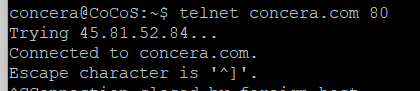
Examples, comparing the output from telnet to nc/netcat:
| Using telnet | Using nc/netcat | ||
telnet concera.com 80 |
|
nc -vz -w 5 concera.com 80 |
|
telnet concera.com 800 |
|
nc -vz -w 5 concera.com 800 |
|
telnet 192.168.200.123 443 |
|
nc -vz -w 5 192.168.200.123 800 |
|



References:
https://linuxvox.com/blog/how-to-install-nc-command-in-linux/